With version 26.03, Enfocus takes another step towards more efficient prepress. Besides a smart new Action to place objects along a path, PitStop gains new interface options and the improved AI chatbot 'Botus'. A short tour of the most important updates.
Expanded File Manager
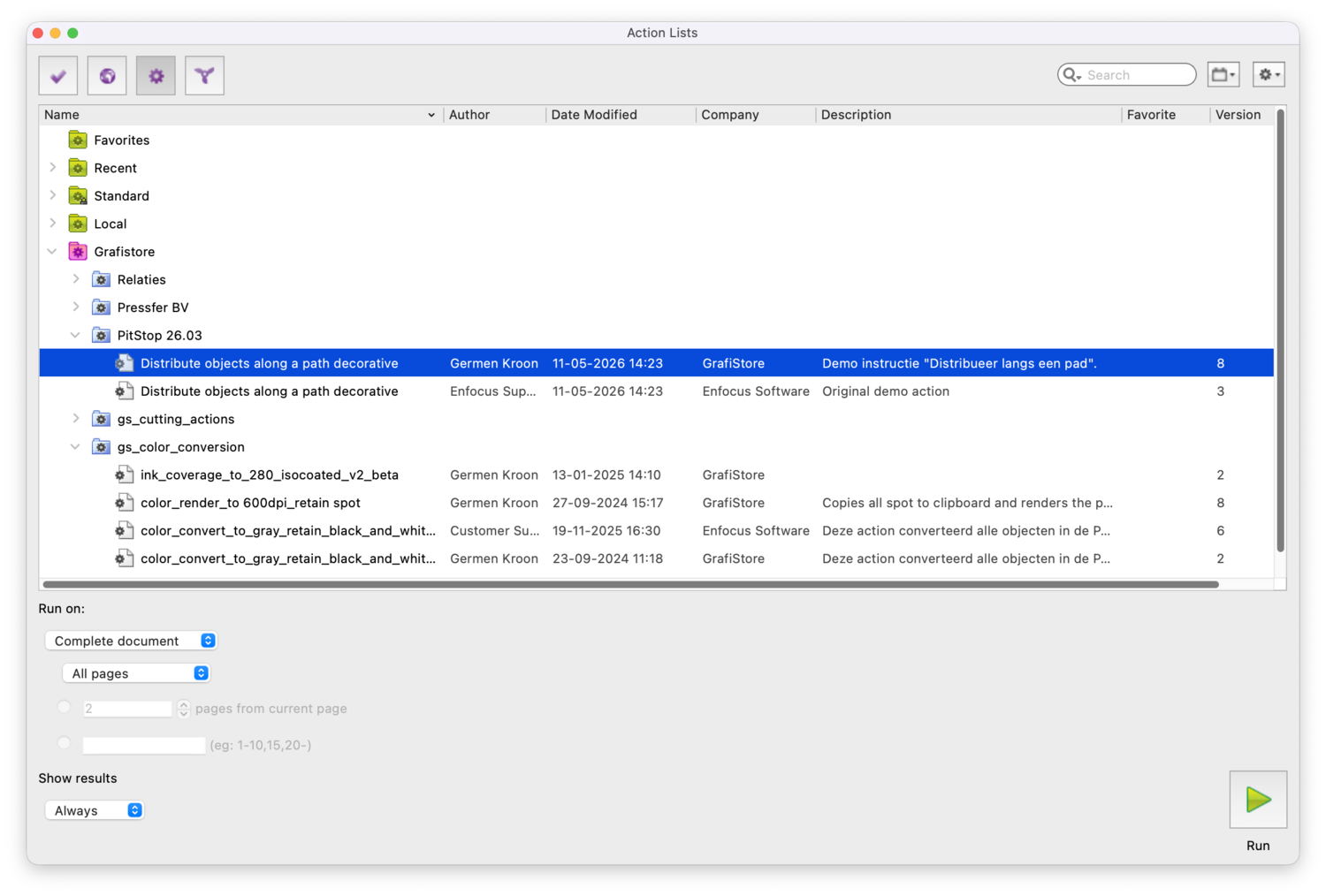
The PitStop File Manager — where you manage Action Lists, Profiles and Smart Preflights — now shows extra columns: Author, Description and the 'Last modified' date. You decide which columns are visible. A small detail, a big difference: you more quickly find which variant of an Action List you edited last, or which colleague once made the profile.
Distribute along path
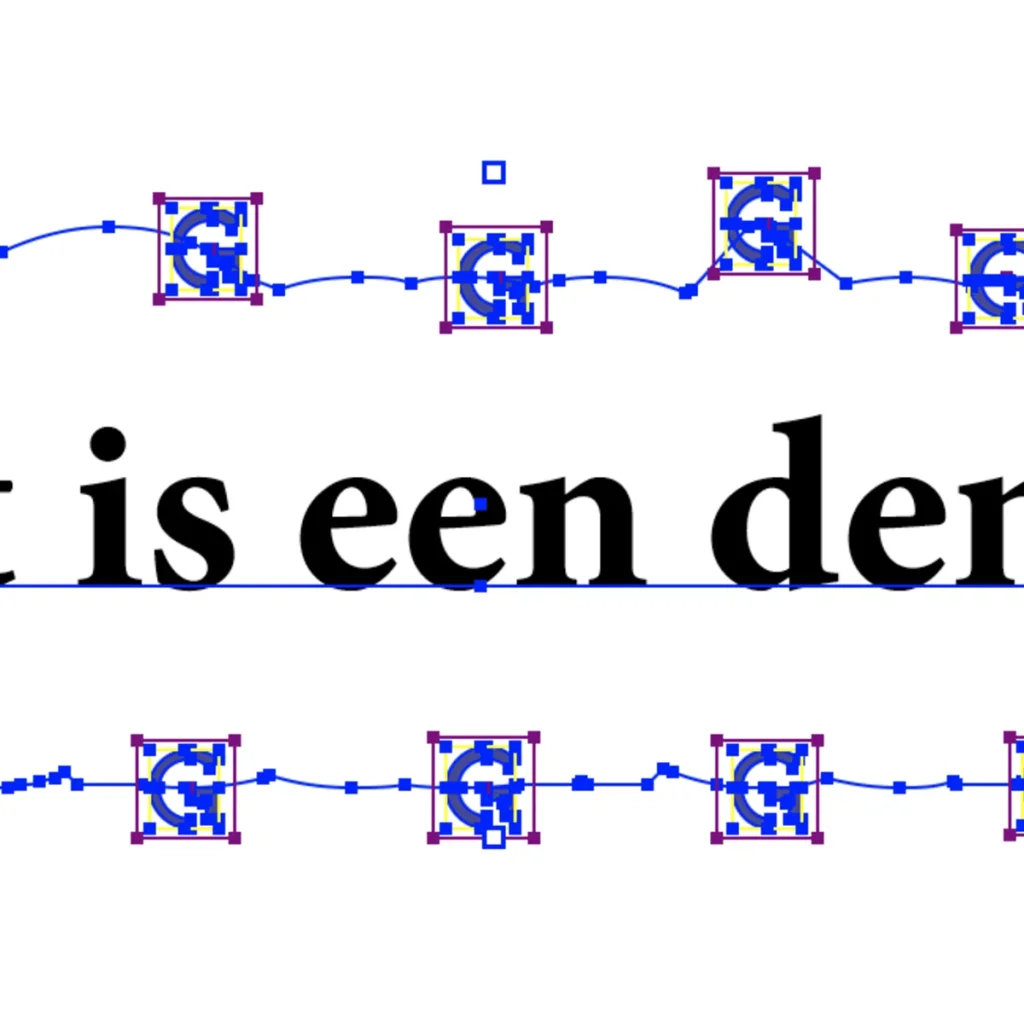
A notable addition is the Action 'Distribute along path'. With the current integration with large-format tools like Griffin, this is very handy. Until now you could only distribute objects (for example rings — 'grommets') over a rectangular page area. With the new Action you choose any path as reference, and PitStop distributes the selected objects neatly along it. Think also of icons or dots along a curved line, drill holes following the shape of a logo, or numbered labels along a curved edge.
A small usage example:
In Edit mode, draw (or select) an open or closed path;
Place your objects in the PDF;
Select them together and run the action;
PitStop calculates the spacing automatically — no more manual nudging.
Tip: save 'Distribute along path' in an Action List so the step becomes part of, say, a prepress workflow for sign, labels or packaging.
My PitStop: everything in one place
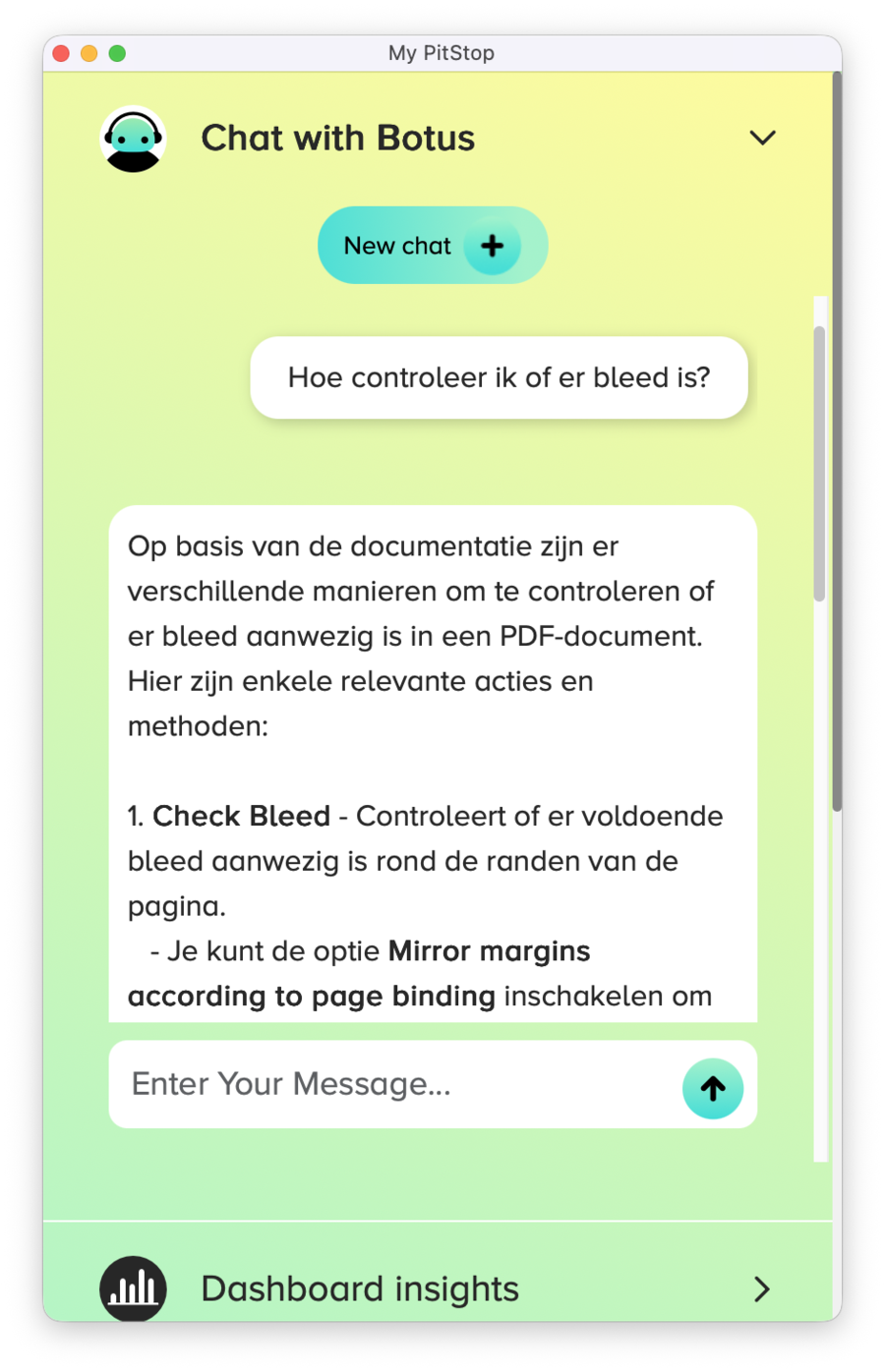
Especially for those who always do what they did: the 'My PitStop' panel. Here you find your documentation, learning resources and the AI chatbot Botus (introduced in 25.11, now a permanent part of the panel) in one overview. You quickly search for solutions while working and get a context-aware answer. Botus doesn't create actions, but it certainly helps you on your way — and keeps training in the background: the more you ask, the better the answers. For those who find PitStop Pro still too complex, this panel lowers the threshold.
Conclusion
PitStop 26.03 is not a revolution, but it is full of small improvements that make a difference in daily production. 'Distribute along path' opens creative possibilities you previously had to solve manually, and My PitStop and the expanded File Manager help you find your way faster. Update to 26.03 and check the release notes.